OpenAI Realtime for Bubble — Quickstart
Add live, two-way voice to your Bubble app in minutes.
Need help? contact me@therealpablo.com
Overview
This plugin provides a Bubble visual element (Realtime Call) and a server action (Create Ephemeral Realtime Token) to start a secure WebRTC session with OpenAI Realtime models.
Latency
Low-latency, mic → AI → audio back
Security
OpenAI key stays on Bubble server; browser uses short-lived token
Setup time
~5 minutes
Demo Link
Editor Link
1) Plugin Keys
In your Bubble app's Plugins tab, set the openai API key:
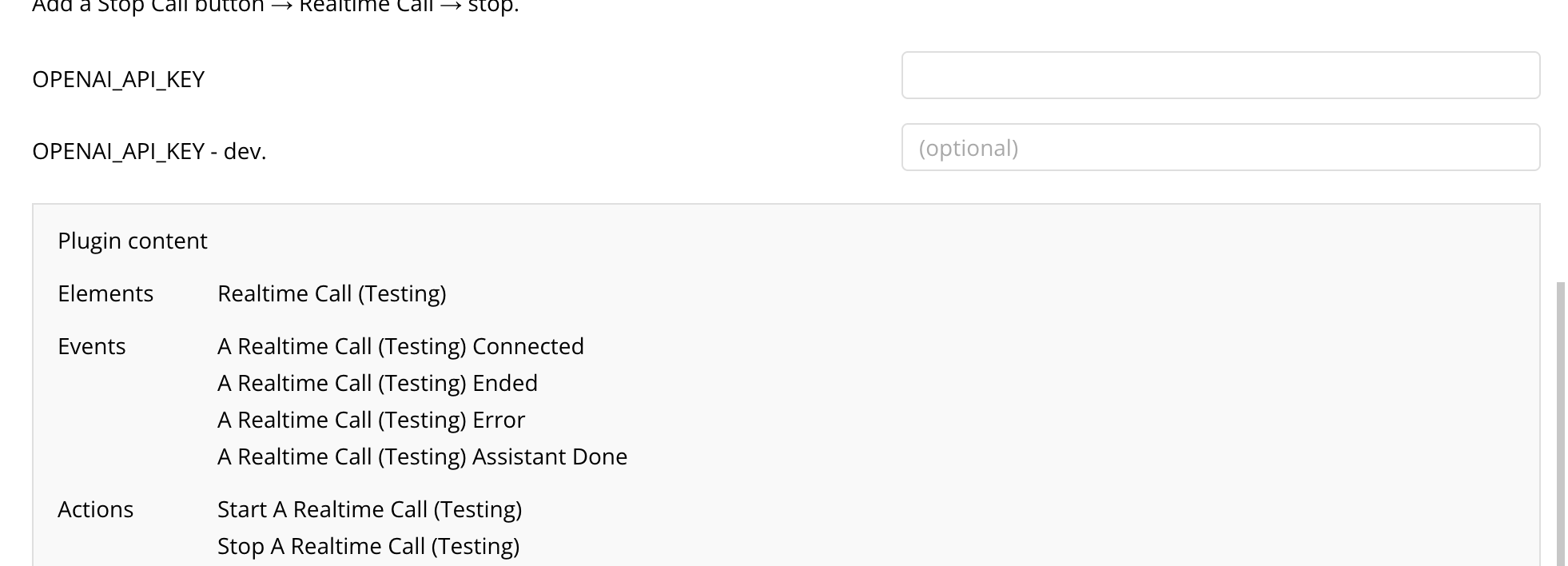
- OPENAI_API_KEY — Private
Your long-lived API key never reaches the browser.
2) Setup (Quick)
Note: File search is not currently supported.
Please ignore the vector_store_id field when configuring your ephemeral token.
Please ignore the vector_store_id field when configuring your ephemeral token.
- Realtime Call Drop the element on your page. Must be visible.
-
Add a Start button workflow:
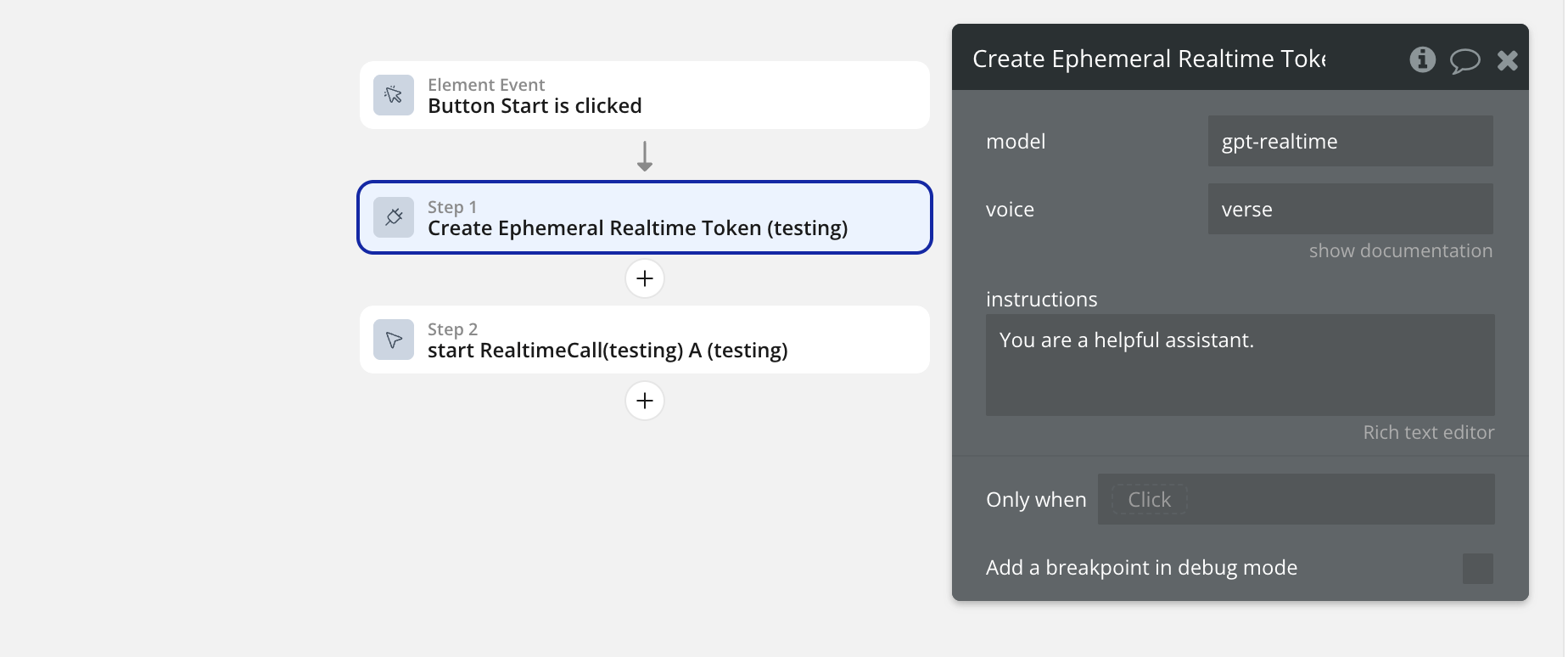
- Step 1: Plugins → Create Ephemeral Realtime Token (set model, voice, optional instructions)
- Step 2: Element actions → Realtime Call → start
- Pass: token/model/voice from Step 1's result
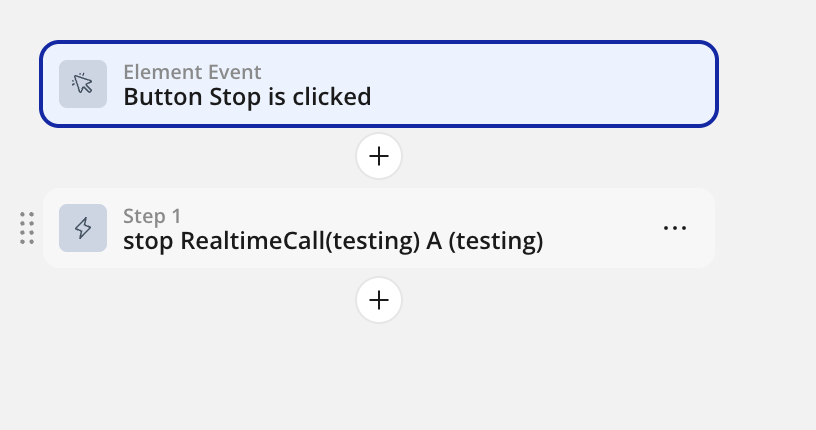
- Add a Stop button → Realtime Call → stop
3) Start / Stop Actions
Element statuses: idle | starting | mic-ok | connecting | connected | error | ended
Start
Element actions → Realtime Call → start
Inputs:
- token (Text, required)
- model (Text, required; e.g. gpt-4o-realtime-preview)
- voice (Text, required; e.g. verse)
Stop
Element actions → Realtime Call → stop
Ends the call and releases mic + connection.
4) Saving Transcripts
You can capture live transcripts and save them to your Bubble database. Use the "Assistant Done talking"events to save data each time an assistant is done talking.
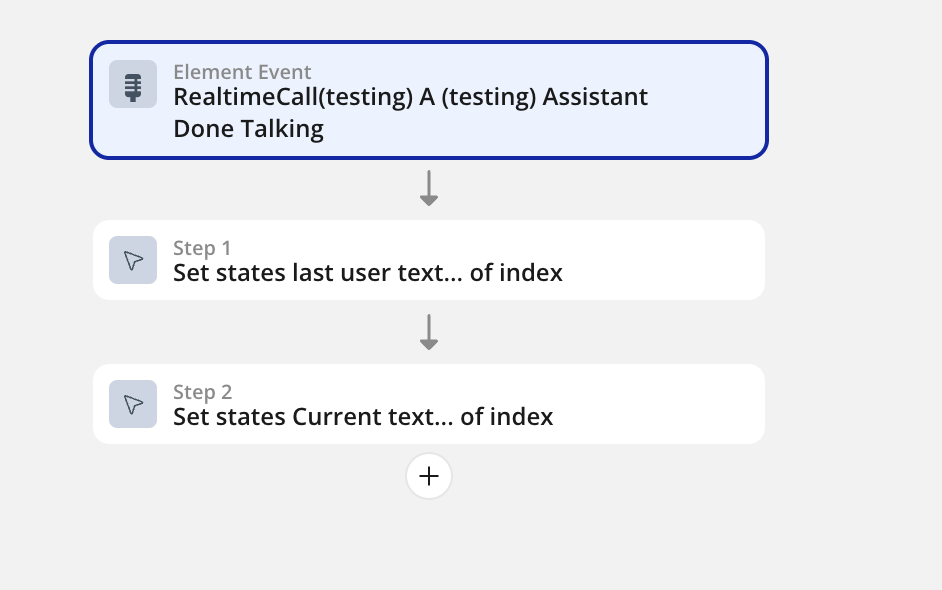
Note: The assistant_done event is triggered every time the Assistant finishes speaking. This ensures you capture complete assistant responses for your transcript.
5) Troubleshooting
- No mic prompt / nothing happens: Ensure Step 2 calls the element's start action, token is passed from Step 1, run on HTTPS, start from a button click.
- 401/403 on SDP exchange: Token expired or model mismatch. Mint in Step 1 and call start immediately; pass model/voice through.
- context.request is not a function: Use fetch in server action.
- "Expected a string, but got a number": Bubble return types must be text; String() everything (already handled in server action sample).
- Connected but no audio: Corporate network may block UDP. Try another network or add TURN later.
6) FAQ
Where do I configure model, voice, and instructions?
Only in the server action Create Ephemeral Realtime Token. Pass those values straight to the element's start.
Can I add push-to-talk?
Yes. Add a button that mutes/unmutes mic tracks or gates input by holding a state; extend the element if needed.
What do the element statuses mean?
idle
Ready to start a call
starting
Collecting mic permissions & token
mic-ok
Microphone has been approved
connecting
Negotiating WebRTC with OpenAI
connected
Live two-way audio is active
error
Connection or permission failure
ended
Call was stopped or timed out